Tap · Click · Space
Scroll
The game
The block
stacking game
Tower Blocks is a free online block stacking game that runs in the browser. A colored block slides back and forth above your tower. You tap to drop it, and only the overlapping part stays – the overhang is cut away. Miss the tower entirely and the run ends.
One rule, no ceiling. Every block you stack makes the next one faster, and every imprecise drop makes your tower narrower. That is the whole stack game: a compounding problem you create yourself, one tap at a time.
No sign-up, no install, no plugin. The game is 9 KB of JavaScript on an HTML5 canvas, it renders on requestAnimationFrame – 60 frames per second on a standard display – and your best score is stored in the browser so it is waiting the next time you open the page.
- 01Precision placement Land within 5 px of the edge below for a perfect – the full block width is preserved.
- 02Increasing speed Blocks slide faster every point, from 156 px/s to a 600 px/s ceiling.
- 03Any device Touch, mouse, keyboard – all work. Optimized for every screen size.
- 04High score saved Local browser storage. No account needed – your record persists.
How to play
How do you
play?
Tap the game, click the mouse or press Space to start, then tap again each time the sliding block lines up with the one below it. The overlapping part becomes your new top block; the rest falls away. Repeat until you miss the tower completely.
- 1Start
Tap the game, click your mouse, or press Space. The first block is already placed at the bottom.
- 2Watch
A new colored block slides left and right across the screen, one row above the tower.
- 3Place it
Tap, click, or press Space to drop the block. Timing is everything.
- 4Overlap matters
Only the part directly above the previous block remains. The overhang is cut off and lost for the rest of the run.
- 5Perfect bonus
Align within 5 pixels and you get a "Perfect!" – the full width is preserved and a golden flash fires.
- 6Keep going
Speed rises by 7.8 px/s with every block you stack. Build as high as you can before you miss entirely.
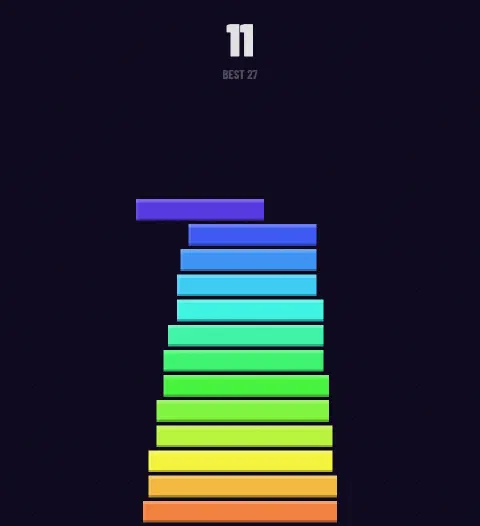
Mid-run The tower narrows wherever a block landed off-center.
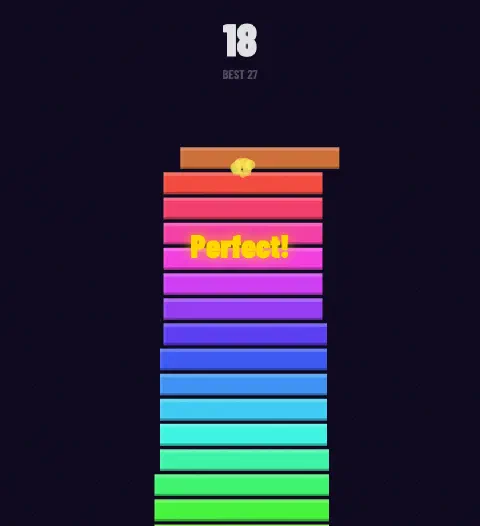
Perfect Within 5 px of the edge below – full width kept.
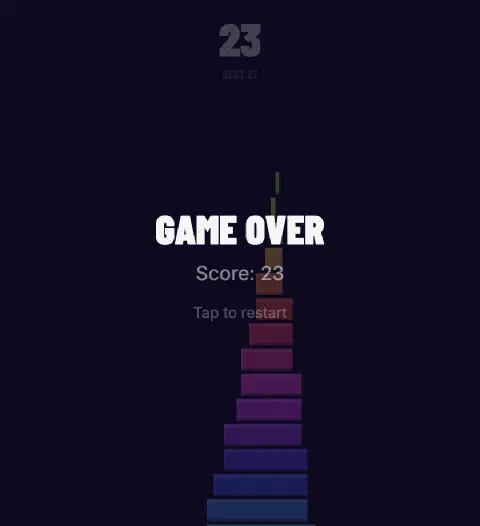
Game over A block that overlaps nothing ends the run.
Strategy
How do you
score higher?
Keep the tower wide. Width is the only resource in a stacking game, and every off-center drop spends some of it permanently. Players who chase perfect placements in the first ten blocks bank a margin that carries them through the fast rounds later.
Each block moves at constant speed within a round. The moment you notice the beat, tap into it – don't think, react.
Aim to place the block when it is directly above the previous one. Staying centered keeps your tower wide.
Counter-intuitively, fast rounds reward patience. Breathe, watch the position, react late rather than early.
A wide tower forgives mistakes. Stack perfect placements in the first ten rounds to build a buffer.
The game registers on touch start, not touch end. Act slightly sooner than feels natural.
A run takes about 30 seconds. The score to beat is the one you just posted, 30 seconds ago.
Measured
How fast do
blocks move?
A block starts at 156 pixels per second and gains 7.8 px/s with every point you score, until it hits a 600 px/s ceiling on the 57th block. Every number below is read directly from the game's own engine – game.js is served uncompressed, so all of it is verifiable.
5 px
Perfect toleranceLand within 5 pixels of the edge below and the block keeps its full width.
156 → 600px/s
Block speedThe slide accelerates by 7.8 px/s per point placed.
57
Blocks to top speedAfter the 57th block the speed stops rising. Everything above that is pure precision.
19 px
Row height22 px per row, of which 3 px is the gap between blocks.
9 KB
Engine size2.7 KB over the wire once gzipped, with no libraries and no build step.
0
Network calls in playNothing is sent anywhere. The score lives in your browser's local storage.
Measured from game.js, build of
Questions
Common
questions
What is Tower Blocks?
Tower Blocks is a free browser game in which a colored block slides horizontally above a tower and you tap to drop it. Only the part overlapping the block below survives; the overhang is cut off. The tower narrows with every imprecise drop, and the run ends when a block misses completely.
How do you play Tower Blocks?
Tap the game, click, or press Space to start. A block slides left and right – tap again to drop it onto the tower. Align it within 5 pixels of the block below for a perfect placement that keeps the full width. Blocks speed up as your score rises.
Is Tower Blocks free to play?
Yes. Tower Blocks is free, has no paid tiers and no in-game purchases. There are no ads, no accounts and no sign-up form. Open the page and the stack game starts on the first tap – nothing is gated behind registration or payment.
Does Tower Blocks work on mobile?
Yes. The game is built for touch first and works on iOS and Android phones and tablets in any modern browser. Tap anywhere on the game to place a block. On desktop the same action is a mouse click or the Space, Down arrow or Enter key.
Do I need to download or install anything?
No. Tower Blocks runs entirely in the browser as an HTML5 canvas game – no download, no app store, no plugin, no Flash. The engine is a single 9 KB JavaScript file that loads with the page and needs no further network access while you play.
What counts as a perfect placement?
A placement is perfect when the block lands within 5 pixels of the edge of the block below it. The game then keeps the full block width instead of trimming the overhang, plays a golden flash and fires a particle burst. Perfect placements are how a tower stays wide.
Where is my high score saved?
Your best score is written to your browser's local storage on the device you play on. It survives closing the tab and restarting the browser, it is never sent to a server, and it is not shared between devices or between browsers on the same device.
How high can the tower go?
There is no maximum height and no final level. Block speed stops increasing after the 57th block, so from that point the game is a test of consistency rather than escalating difficulty. A run ends only when a block misses the tower entirely.
Players
What players
say
- Marcus T.
Really enjoyed playing Tower Blocks. It has a great overall feel and kept me coming back for another round. Everything feels smooth and enjoyable, and I liked how easy it was to get into the experience. Definitely a fun game to spend some time with when I want something simple and entertaining.
- Emily R.
Tower Blocks is surprisingly addictive in the best way. I had a lot of fun with it and found myself wanting to play again after each session. It has a nice, polished feel and is exactly the kind of game I can enjoy for a few minutes or much longer.
- Daniel K.
I've been having a great time with Tower Blocks. It's fun, satisfying, and easy to enjoy whenever I have some free time. The overall experience feels really well put together, and I appreciate that it stays enjoyable without feeling overwhelming. One of those games I keep returning to.
- Sophie M.
Very enjoyable game. Tower Blocks has a nice balance that makes it easy to keep playing without getting bored. I liked the overall presentation and the smooth experience. It's become one of those games I open when I just want to relax and have a little fun.
- James W.
Tower Blocks is a lot of fun and much more enjoyable than I expected. The experience feels polished and satisfying, and I always end up playing longer than planned. It's a great choice when you want something entertaining and straightforward. Definitely worth trying if you enjoy casual games.
- Olivia P.
I really like Tower Blocks. It has a clean, enjoyable feel and is easy to pick up whenever I have a spare moment. I keep coming back because it stays fun without feeling repetitive. Overall, a great casual game that I've genuinely enjoyed playing.
Background
Where does
it come from?
One block, one tap,
and a tower that never
forgives a miss.
Block stacking games are a small, stubborn genre: a single mechanic, no levels, no story, and a difficulty curve the player builds personally. The stop-the-block format was made famous by LAI Games' Stacker prize cabinet in 2004, moved onto phones with Digital Chocolate's Tower Bloxx in 2005, and became a mobile staple with Ketchapp's Stack in 2016. Tower Blocks is a browser-native take on the same one-button timing test.
This version runs entirely in the browser. No plugin, no download, no account. The HTML5 canvas engine renders at 60 frames per second on a standard display, on any modern phone or computer. The game is touch-optimized for iOS and Android and keyboard-optimized for desktop – Space, ↓ and Enter all work.
Your high score lives in localStorage – it persists across sessions without an account. Close the tab, come back tomorrow, the record is still there. Tower Blocks has been online under this name since 2023.